






Pay by Credit Card via PayPal
How to Pay by Credit or Debit Card via PayPal?
You can pay for your order securely through PayPal. In many cases, PayPal allows customers to pay by credit or debit card without logging in to a PayPal account.
Accepted card options may vary depending on PayPal, your location, your card issuer, and the checkout page available at the time of payment.
You will be redirected to the PayPal payment page to complete your payment securely.
Please note that the exact wording may vary depending on PayPal's checkout page.
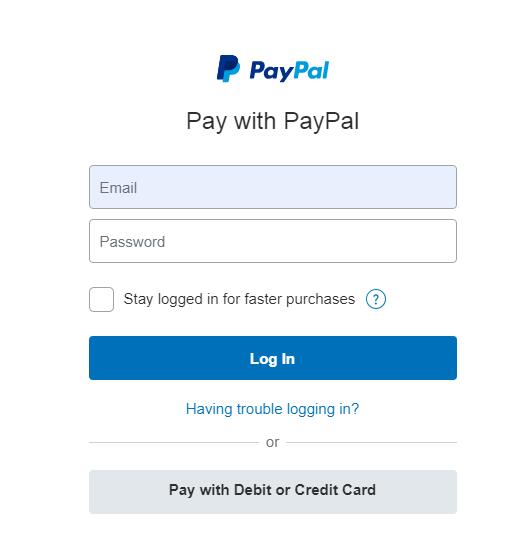
Once the payment is completed successfully, you will be redirected back to Oyostepper.com or receive an order confirmation email.
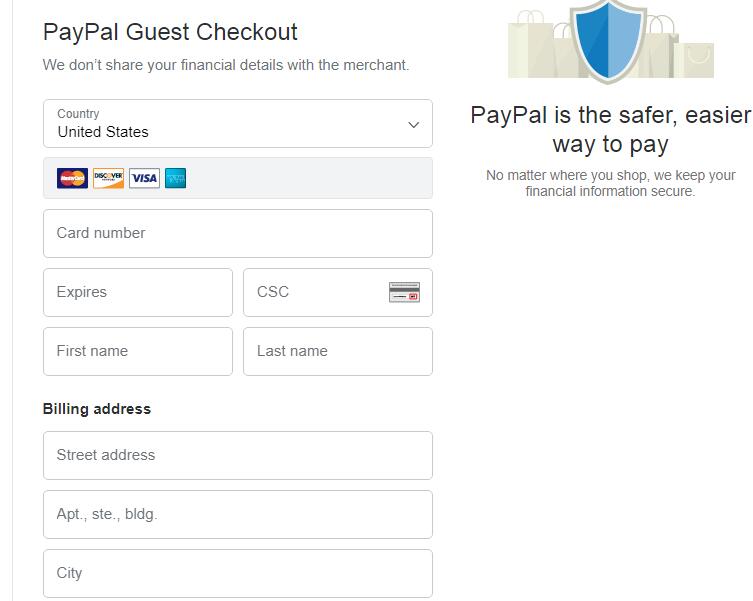
In some cases, PayPal may ask you to log in to a PayPal account or create one before completing the payment.
This may depend on PayPal's security checks, your country or region, your card issuer, or PayPal’s checkout settings.
If you cannot complete the payment by card through PayPal, please contact us and we will be happy to assist you.
Need Help?
If you have any questions about payment, please contact us:
Email: support@oyostepper.com
Phone: +862368438829
Previous:Three methods to get coupon code
